For a first Civilian session: spawn a vehicle → drive to the city checkpoint → stop for approval or inspection → enter after you are cleared. Then choose one goal: explore the map, try a truck mission, or learn a team. You do not need a printer or a paid gamepass to start with the checkpoint tutorial.
Guide revised October 5, 2026; the official How to Play instructions were rechecked that day. Team/badge notes retain the September 17 review; the screenshot is from a July 12 walkthrough. This is not a new in-game playtest.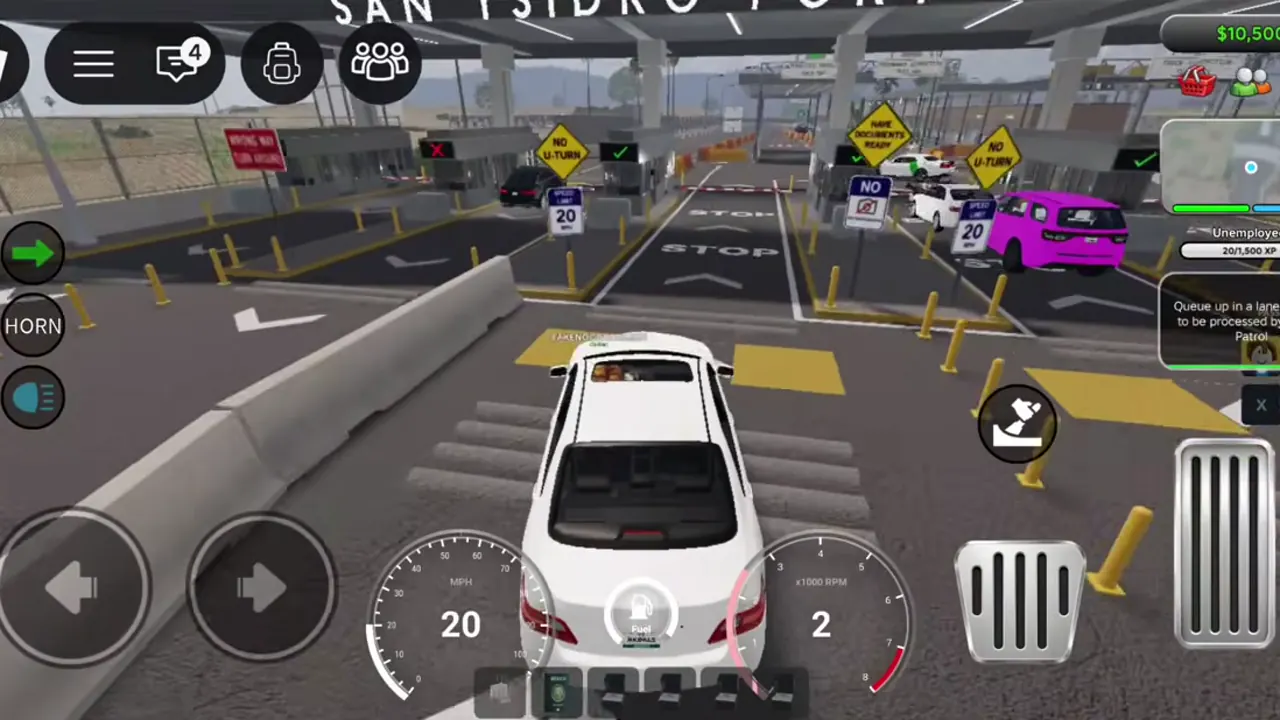 IN-GAME REFERENCE
Start here: your first checkpoint crossing
- 1. Spawn your vehicle using the current game's vehicle controls. The developer's tutorial starts here; it does not specify a universal keyboard shortcut.
- 2. Approach the city checkpoint. If you lose the route, use the in-game map and checkpoint landmark rather than copying turns from an old video.
- 3. Stop for checkpoint authorities. Follow their instructions and complete inspection if directed; reaching the booth is not the same as being approved.
- 4. Continue after clearance. Learn this crossing before adding smuggled goods or wanted-player mechanics to the session.
- 5. Choose one next task from the table below. Treat this as an order of actions, not a promise that every queue takes five minutes.
Button labels and spawn positions can move after updates. Follow the current in-game UI when it differs from an older video.
What should I do after crossing?
The related Map, Money and Teams guides expand these choices. You can explore first and decide on purchases later; old videos are not a current price list.
| Your goal | First action | Keep the first session simple |
|---|---|---|
| Learn the city | Open the map and select one destination | Return to the checkpoint landmark before learning another route |
| Try earning cash | Look for the truck-mission area and read the current job prompt | Follow the active mission marker; this guide does not promise a fixed payout |
| Work the checkpoint | Check the current Checkpoint Authority team entry screen | Learn approval and inspection before chasing ranks |
| Try Police | Read the role's available tools and rules | Learn wanted-player and warrant checks before attempting apartment raids |
Stuck before your first goal?
| What happened | What to check next |
|---|---|
| I cannot find the checkpoint | Open the current map, look for the checkpoint landmark, and use the selected destination for directions. See the Map guide for the dated navigation reference. |
| I was sent to inspection | Follow the authority's instructions. Inspection is explicitly part of the official starting loop, not proof that the tutorial has failed. |
| Nobody is processing my lane | Check whether a checkpoint player is on duty and follow the server's instructions. We have not verified an automatic-clearance timer; do not assume you can drive through. |
| The team or job is locked | Read the requirement shown on the current team/job screen. Do not buy a pass based solely on an older walkthrough. |
| My screen differs from the screenshot | Use current controls and prompts. The image below the quick answer is historical evidence, not an exact copy of today's interface. |
Choose the kind of session you want
| Lane | Good for | What you learn first |
|---|---|---|
| Civilian | Exploration and economy | Crossing, jobs, goods, housing |
| Checkpoint Authority (formerly Border Patrol) | Structured roleplay | Stamping, inspection, scanner |
| Police | Law-enforcement play | Wanted players, warrants, patrol |
| Federal teams | Later progression | Team ranks, special gear and vehicles |
Set three safe first goals
- Earn the Checkpoint Crossing badge as a Civilian; this is the current official badge name.
- Try one repeatable money route instead of chasing a video title promising instant millions.
- Pick one team to level before spreading progress across every role.
Shortcuts to avoid
The developer explicitly bans exploits, cheats, and auto-farming. Search results that advertise scripts or a money glitch are not part of this guide. Besides moderation risk, those pages are a common place to encounter unsafe downloads and fake executors.